Apple Health Connection
Grant the Improver App access to Apple Health so that it can read and import your steps.
Use the more robust and user-friendly connection via the Improver Platform for wearables from Fitbit, Garmin and Polar. If you want to use your iPhone's internal step counter, we recommend installing the Fitbit app, setting up your internal step counter as device and then connect your Fitbit account to the Improver Platform.
1.
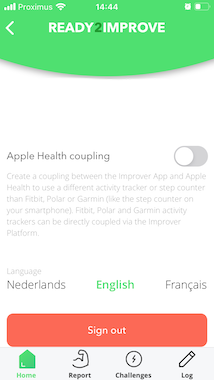
Open the profile page by clicking on the user icon in the upper left. Toggle the ‹Apple Health Coupling› button to start the authorization process.
2.
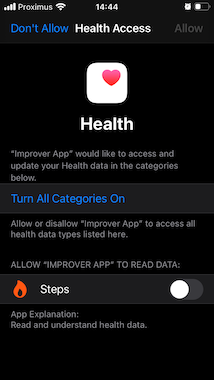
The authorization screen will show informing you that our app is requesting access to your Health data. Toggle the button next to ‹Steps›.
3.
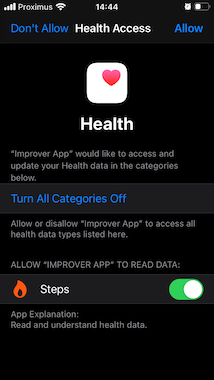
Click ‹Allow› in the top right corner to confirm your choice and grant the Improver App the indicated access.
4.
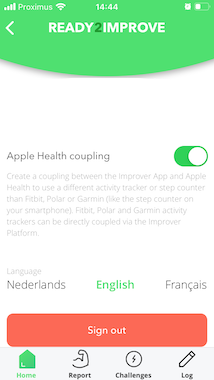
You will be returned to the Improver App which will now start requesting steps from Apple Health. The app can only request steps when it is running in the foreground. So be sure to open your app an a daily basis.