Google Fit Connection
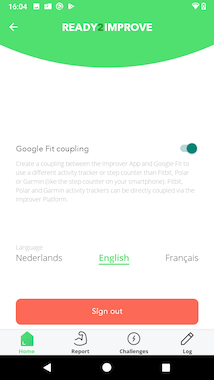
Connect your Google account and grant the Improver App access to read your steps from your Google Fit data.
Use the more robust and user-friendly connection via the Improver Platform for wearables from Fitbit, Garmin and Polar.
1.
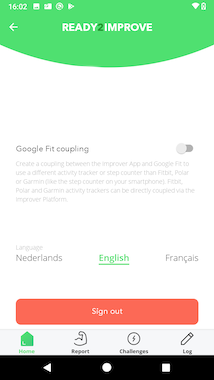
Open the profile page by clicking on the user icon in the upper left. Toggle the ‹Google Fit Coupling› button to start the authorization process.
2.
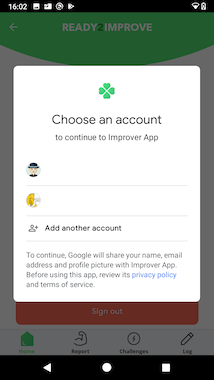
Select the account you want to connect with.
3.
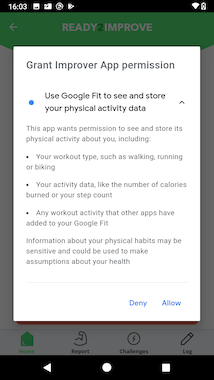
Review the access we request and click ‹Allow› in the bottom right corner to confirm the access.
4.
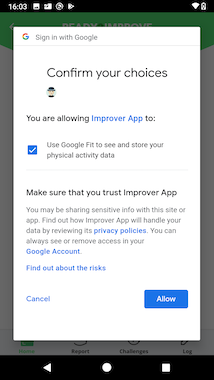
You will now be shown a summary of the authorisations you are granting to the Improver App, and for which account.
5.
You will be returned to the Improver App which will now start requesting steps from Google Fit. The app can request steps from the background. Just keep it running.